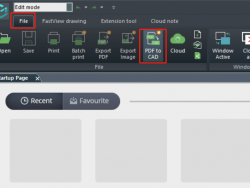
Convert your PDF to CAD now with DWG FastView for Windows

Dear users, In the new release of DWG FastView for Windows, we added a new feature called "convert PDF to CAD". Please update or download the latest version as soon as possible. PDF to CAD conversion is a paid feature, you can unlock all features by upgrade. Click the button below. Steps to convert your Read More ...
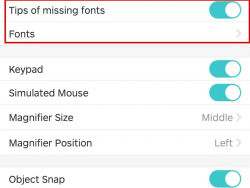
Learn how to solve" my drawing displays a lot of ???"

There are some users reporting that DWG FastView can't display his drawing perfectly, some characters missing, a bunch of ??? questions marks showing there. It is normal. We know this issue. DWG FastVIew has users around 190 countries and they have drawings with different languages. It is impossible for DWG FastView to prepare all languages Read More ...

How to use leader annotation with mobile DWG FastView?

Leader annotation is different from text annotation. There is a leader line additionally. Watch the video below. Leader annotation is a paid feature. You can use it 10 minutes for free every day. To unlock it forever, please upgrade your account by clicking the button below.

How to manage your drawings on different devices?

Do you know that you can view and edit the same drawing in your mobile phone and your Tablet or personal computer? Yes, that is My Cloud in DWG FastView. It provides cloud service for users. Once you register, after logging in, you could manage your drawings in My Cloud, such as download, upload, move, Read More ...

How to switch CAD layers in mobile phone?

Those of you who often work with CAD drawings should know that CAD layers are very important in both drawing and viewing. In some complex CAD drawings, good use of CAD layer management tools can make you get twice the result with half the effort. How to use the layer feature in DWG FastView for Read More ...