
Update: DWG FastView Works with WhatsApp (share & open)
I made a mistake in an earlier article: I said DWG FastView couldn’t share files to WhatsApp. That’s not true.
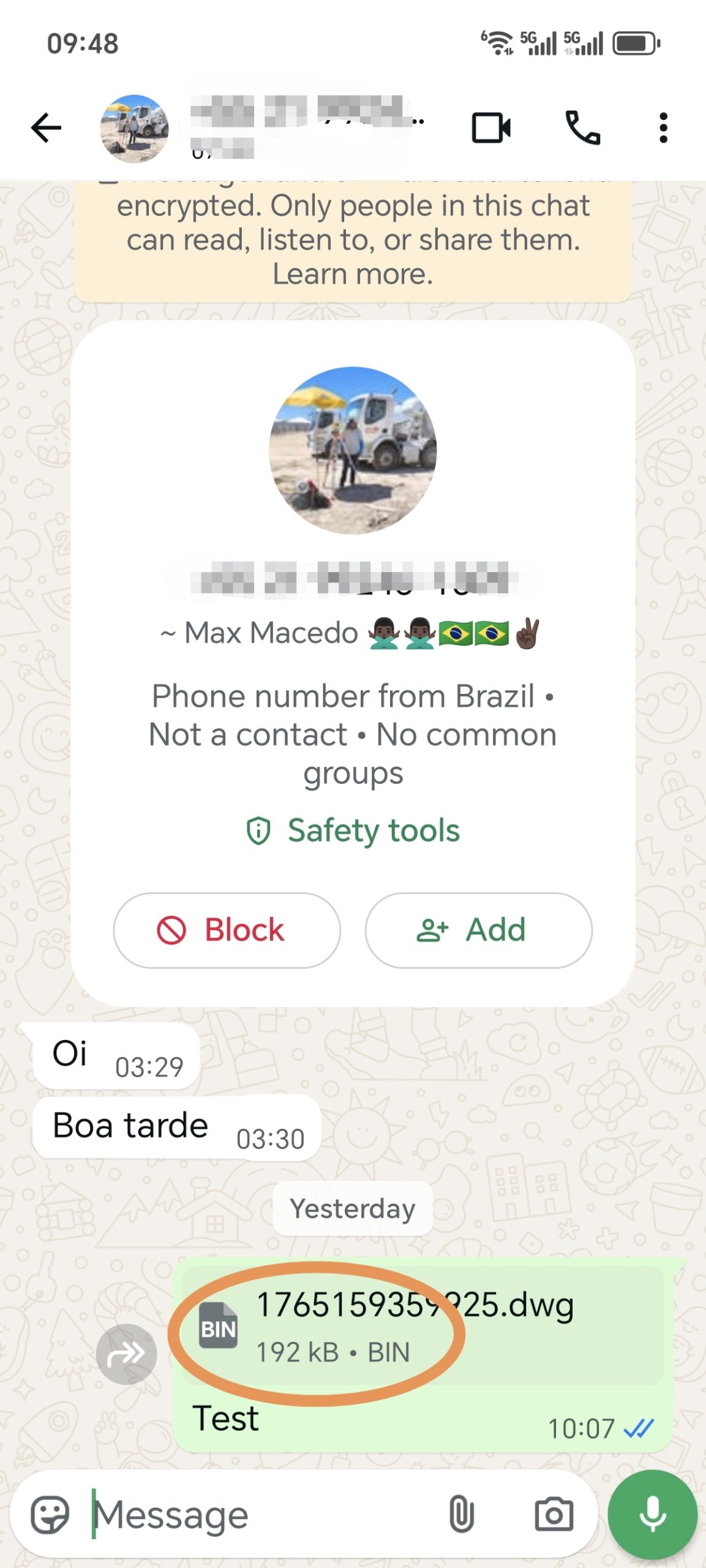
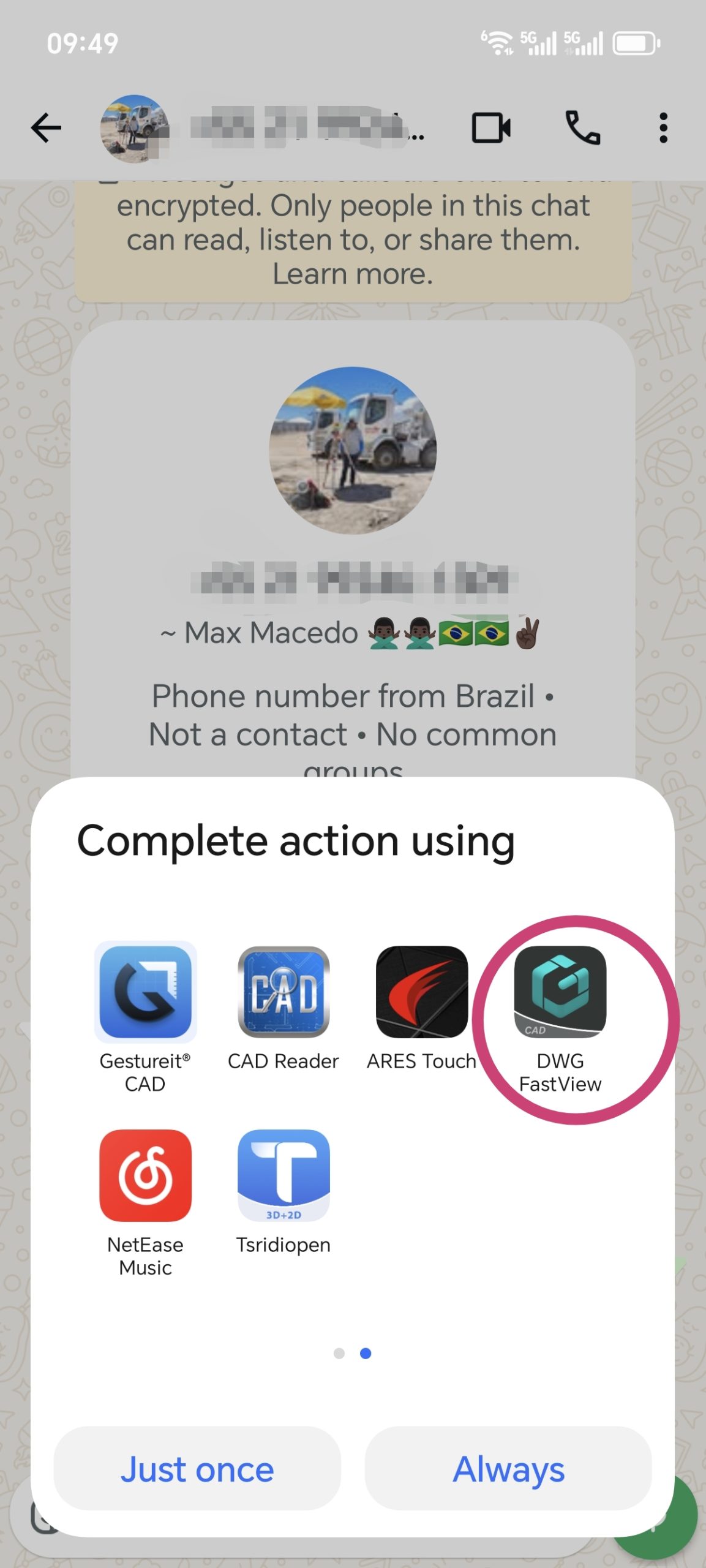
The latest version of DWG FastView fully supports sharing to WhatsApp. You can send files smoothly, and they’ll be opened without issues. Also, if someone sends you a CAD file via WhatsApp (from any app), DWG FastView can open it. Files shared from DWG FastView to WhatsApp work in other CAD apps too.
One thing to note: When you share a DWG file to WhatsApp, it might show up as “xxx.dwg.bin”. Don’t worry—the “.bin” is just added by WhatsApp. You can still open it with DWG FastView or other CAD tools.
Please update your DWG FastView to the newest version. If it still doesn’t work, record a screen video of the problem and send it to us please. We’ll fix it quickly.

 Although DWG FastView provides free trial, but if you want to unlock all featues & remove all ads, please click the button below to upgrade your DWG FastView account on mobile phone. If you want to upgrade on PC, click here. Wherever you upgrade your account on mobile app or on web, the VIP account is the same and can be used across devices, Mobile, Windows and web browsers.

← Previous
Free 3DM Viewer: Use DWG FastView to View 3DM Files
Next →
Why DWG FastView has a free limit for 3D view?
Related Posts
Why can't you share DWG files to Whatsapp? Jul 23, 2025 How can I share a drawing with annotations? Dec 14, 2020 Urgent Notice: Bug in DWG FastView for PC v9.5.0 (Crash on Launch/Open) Nov 6, 2025 Major update to 3D view: open faster and RVT 2025 supported Apr 22, 2025 Why annotations on your drawing can't be seen? Jul 11, 2024 DWG FastView for Windows Version 7.7 Update: Multilingual Interface Supported Mar 18, 2024
💬
Comments & Discussion
K
Karan Kumar Gautam
Sir mera drowning nahi khul Raha hai koi issue dikha raha hai
D
Dilip Shinde
I am happy for your servic
M
Md. Dulal Hossain
Documents not show , Edit issue rectify
M
Md. Dulal Hossain
Whatsapp File not show
✍️ Leave a Reply
Your email address will not be published. Required fields are marked *