
繁體中文版 | 原文: 英文
切換為英文 → 如何在 DWG FastView for Mobile 中量測半徑
如果您正在尋找一個特別標籤為 "Measure 半徑" 在 DWG FastView for Mobile 中,您可能會發現主功能表中缺少此功能。不過,有幾種專業方法可以找出任何圓形物件的半徑。以下是獲得精確結果的三大方法。.
Method 1: Using the "Measure Entity" Tool
這是從物件擷取幾何資料的最直接方法。與其測量點,不如測量實體本身:- 選取物件: 點選繪圖中的圓或弧線。.
- 開啟工具箱: 找到 測量工具箱 在螢幕底部。.
- Choose "Measure Entity": 選取此工具,然後在物件上按一下。如果是圓形或弧形,應用程式會立即顯示 半徑 在結果方塊中。.

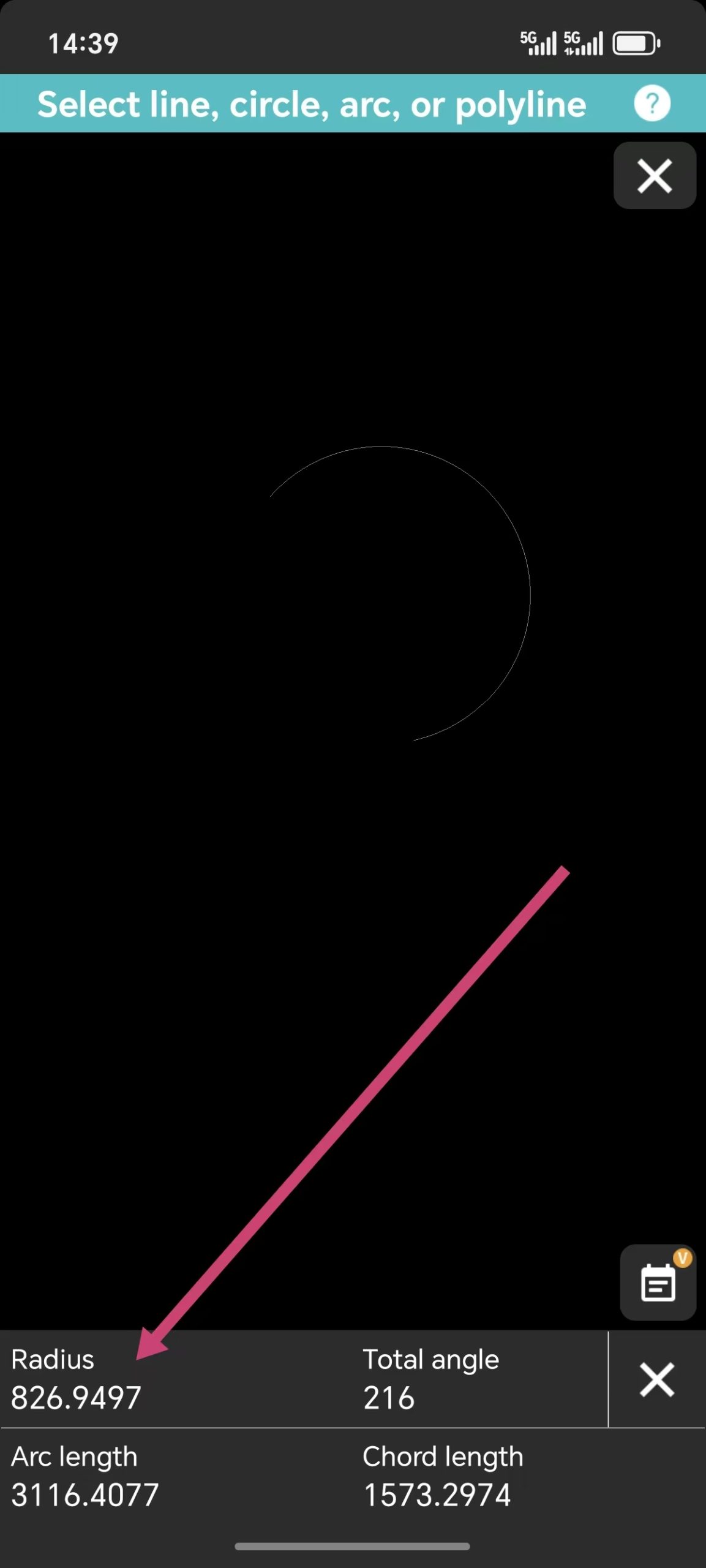
方法 2:使用「弧長工具
另一個可靠的捷徑隱藏在 弧長 工具。. When you use 這 tool from the 測量工具箱 to 選擇 a curve, the system doesn't just show the length—it also reveals the radius of that specific 弧 as part of the 措施ment data.方法 3:使用尺寸工具
Sometimes the best way to "措施" is to "注解." 在裡面 尺寸工具箱, 您會發現一個專用的 半徑尺寸 工具:- 選擇 半徑尺寸 工具。.
- 點選要檢查的圓或弧。.
- 半徑會以視覺標籤的形式出現在您的圖面上。.
Whether you use the "Entity" 措施ment for a quick check or the "Dimension" tool to mark the 繪畫, finding a radius in DWG FastView is simple once you know which tool to grab. You no longer need a single "Measure 半徑" button when you have these versatile options at your fingertips.
這是否有助於您掌握行動 CAD 工作流程?
上述方法並非免費,但您每天有 10 分鐘免費試用時間。如果您想解鎖所有功能,並獲得 5GB 雲端儲存空間,以及移除手機上的所有廣告,您可以按一下下面的按鈕,在手機應用程式中升級。別擔心。在手機應用程式中升級也適用於 Windows 版本。.

相關文章推薦
💬
讀者留言與技術討論
目前尚無留言,歡迎搶先分享您的看法或提問!
✍️ 發表您的留言
您的電子郵件地址絕不會被公開顯示。標有 * 的欄位為必填項。