
全新功能:Web 與 Windows 支援掃描 QR Code 快速登入
Working across multiple devices should be seamless. As DWG FastView accounts are fully 同步hronized across Mobile, Web和 Windows desktop versions, we know that switching between your phone 和 your computer is a huge part of your daily workflow.
However, logging into computer platforms traditional ways can often slow you down: typing long 電子郵件 addresses 和 passwords leads to frequent typos, while third-party 登錄s (喜歡 Google Sign-In) often require multi-step browser authorizations.
To eliminate these friction points, we are excited to introduce a powerful new feature: 即時掃描 QR Code 快速登入!
Why You 將要 Love QR Code Scan-to-Login
While QR code 登錄 is already wildly popular in Asian tech hubs for its unrivaled speed, we are bringing 這 effortless experience to our global community!- Lightning Fast: It is officially the fastest way to log in. No typing, no waiting for redirected authorization 頁s.
- Zero Typos or Forgot Passwords: Never worry 關於 mistyping complex passwords or losing account credentials on desktop browsers.
- Seamless Security: Leverage your already-logged-in mobile app to safely authorize desktop sessions in a single second.
How to Use QR Code Login (Step-by-Step)
Logging into DWG FastView Web or Windows desktop is now as easy as taking a photo: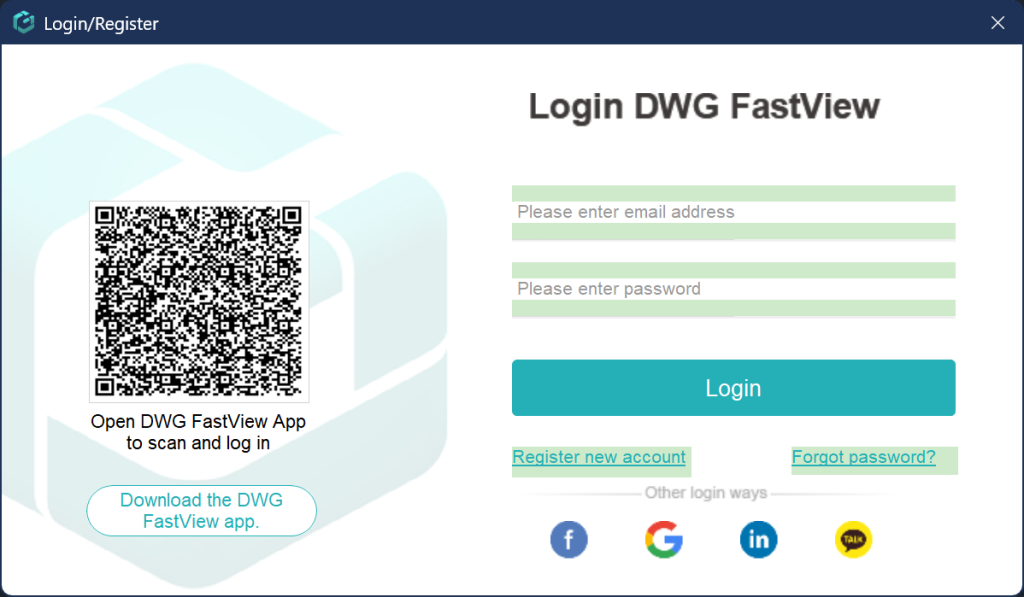
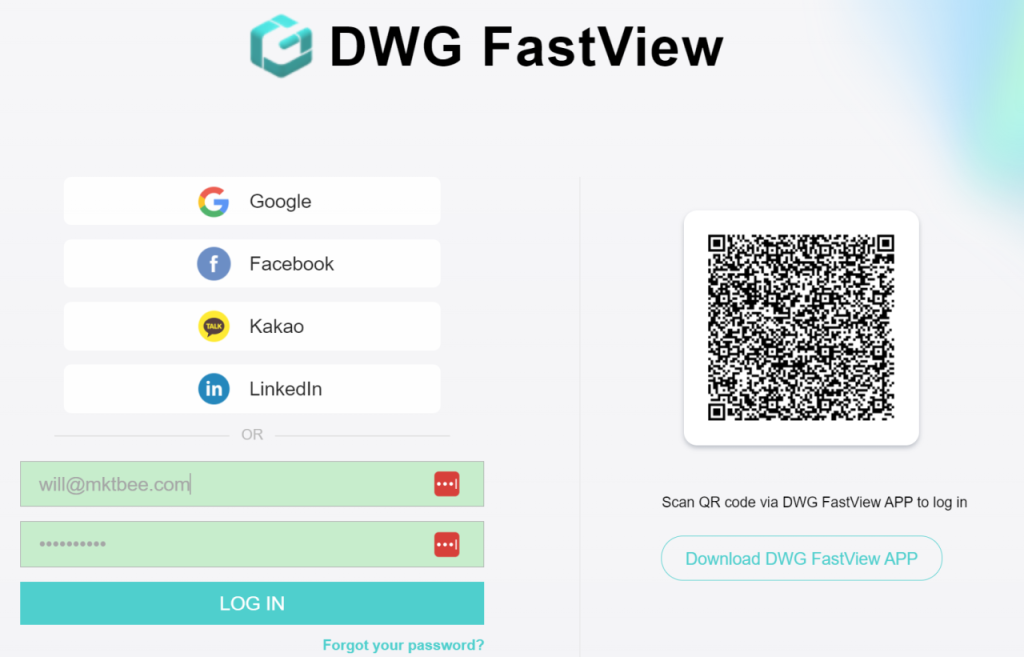
- 打開 the 登入頁面 on DWG FastView Web or the Windows App — you will see a unique 登錄 QR code on the screen.
- 打開 your DWG FastView Mobile App (make sure you are logged in on your phone).
- 輕敲 the QR Scanner tool in the app, point your camera at the computer screen和 confirm 登錄!
That’s it — you’re instantly logged in 和 ready to work on your CAD製圖s!
Try It Out Today!
告別 to forgotten passwords 和 tedious multi-step 登錄s. Update your DWG FastView Mobile App to the latest version today, open Web or Windows和 experience the speed of Scan-to-Login!Although DWG FastView provides free trial for the video 註解 feature, but you can only use it free 10 minutes. if you want to unlock all features & re移動 all ads, please click the button below to 升級 your DWG FastView account on mobile phone. If you want to 升級 on PC, click 這裡.無論您在手機應用程式或Web上升級您的帳戶,VIP 帳戶都是一樣的,並且可以在不同的裝置、手機、Windows 和Web瀏覽器上使用。

相關文章推薦
讀者留言與技術討論
✍️ 發表您的留言
您的電子郵件地址絕不會被公開顯示。標有 * 的欄位為必填項。