
繁體中文版 | 原文: 英文
切換為英文 → Update: DWG FastView Works with WhatsApp的 (分享 & open)
我在之前的文章中犯了一個錯誤:我說 DWG FastView couldn’t 分享 files to WhatsApp的. That’s not 真的.
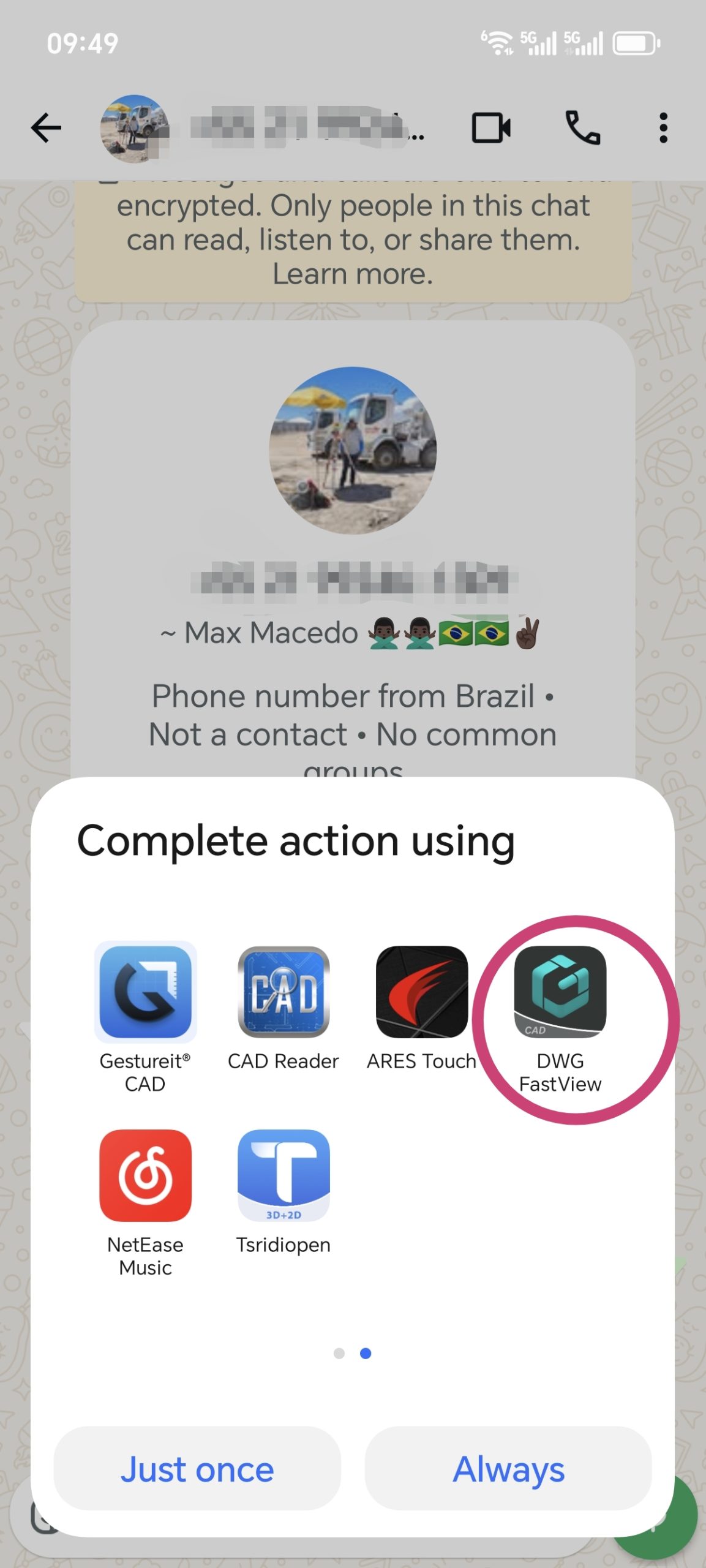
The latest version of DWG FastView fully 支持s sharing to WhatsApp的. 你可以發送 files smoothly和 they’ll be opened without issues. Also, if someone sends you a CAD file via WhatsApp的 (from any app), DWG FastView can open it. 文件 分享d from DWG FastView to WhatsApp的 work in 其他 CAD apps too.
One thing to note: When you 分享 a 圖紙 file to WhatsApp的, it might show up as “xxx.dwg.bin”. Don’t worry—the “.bin” is just added by WhatsApp的. 您可以 still open it with DWG FastView or 其他 CAD tools.
Please update your DWG FastView to the newest version. If it still doesn’t work, record a screen video of the problem 和 send it to us 請。 We’ll fix it quickly.


Although DWG FastView provides free trial, but if you want to unlock all featues & re移動 all ads, please click the button below to 升級 your DWG FastView account on mobile phone. If you want to 升級 on PC, click 這裡.無論您在手機應用程式或Web上升級您的帳戶,VIP 帳戶都是一樣的,並且可以在不同的裝置、手機、Windows 和Web瀏覽器上使用。
相關文章推薦
💬
讀者留言與技術討論
K
Karan Kumar Gautam
Sir mera drowning nahi khul Raha hai koi issue dikha raha hai
D
Dilip Shinde
I am happy for your servic
M
Md. Dulal Hossain
Documents not show , Edit issue rectify
M
Md. Dulal Hossain
Whatsapp File not show
✍️ 發表您的留言
您的電子郵件地址絕不會被公開顯示。標有 * 的欄位為必填項。