
ສະບັບພາສາລາວ | ຕົ້ນສະບັບ: ພາສາອັງກິດ
ປ່ຽນເປັນພາສາອັງກິດ → ອັບເດດ: DWG FastView ເຮັດວຽກກັບ WhatsApp (ແບ່ງປັນ ແລະ ເປີດ)
ຂ້ອຍໄດ້ເຮັດຜິດພາດໃນບົດຄວາມກ່ອນໜ້ານີ້: ຂ້ອຍເວົ້າວ່າ DWG FastView ບໍ່ສາມາດແບ່ງປັນໄຟລ໌ໄປຫາ WhatsApp ໄດ້. ນັ້ນບໍ່ແມ່ນຄວາມຈິງ.
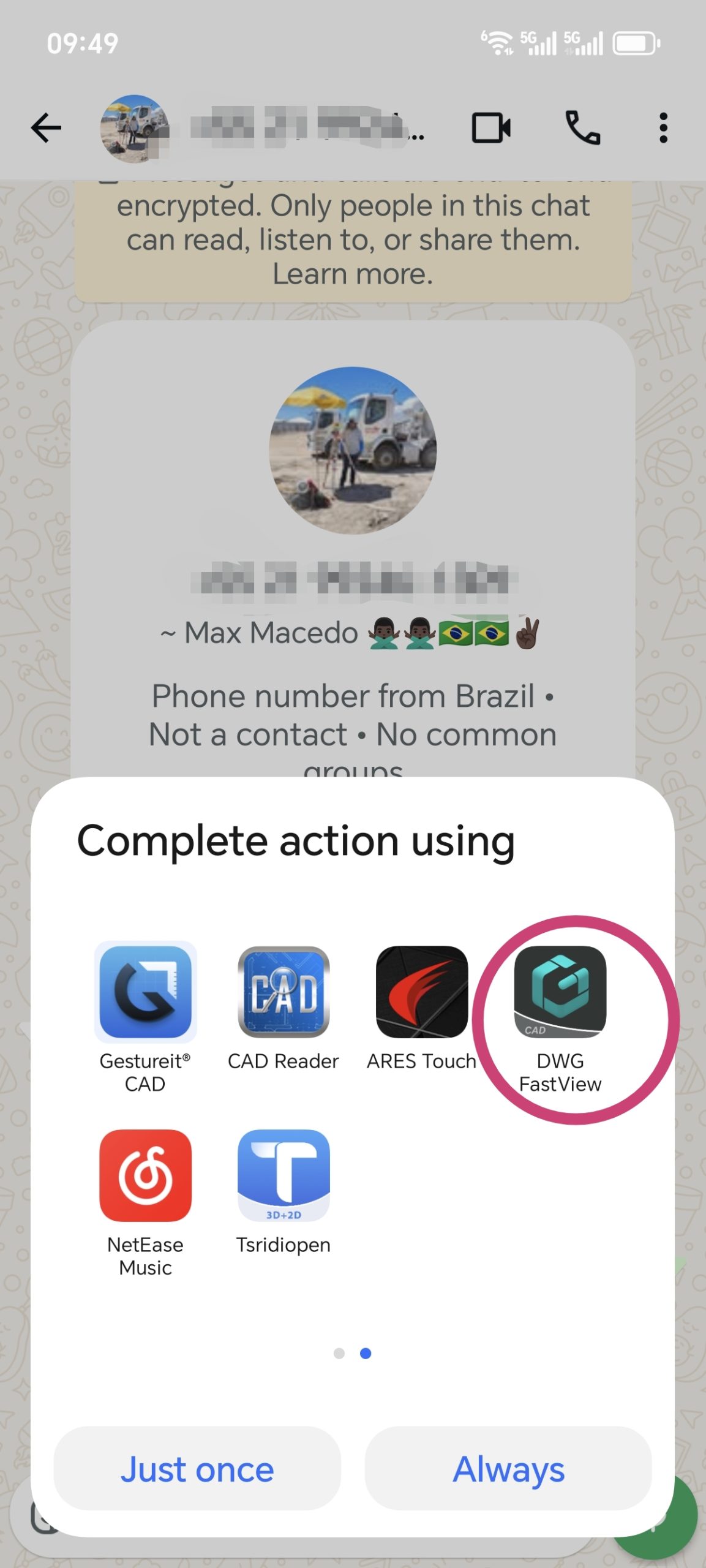
The latest version of DWG FastView fully supports sharing to WhatsApp. ເຈົ້າສາມາດສົ່ງ files smoothly, and they’ll be opened without issues. Also, if someone sends you a CAD file via WhatsApp (from any app), DWG FastView can open it. Files shared from DWG FastView to WhatsApp work in other CAD apps too.
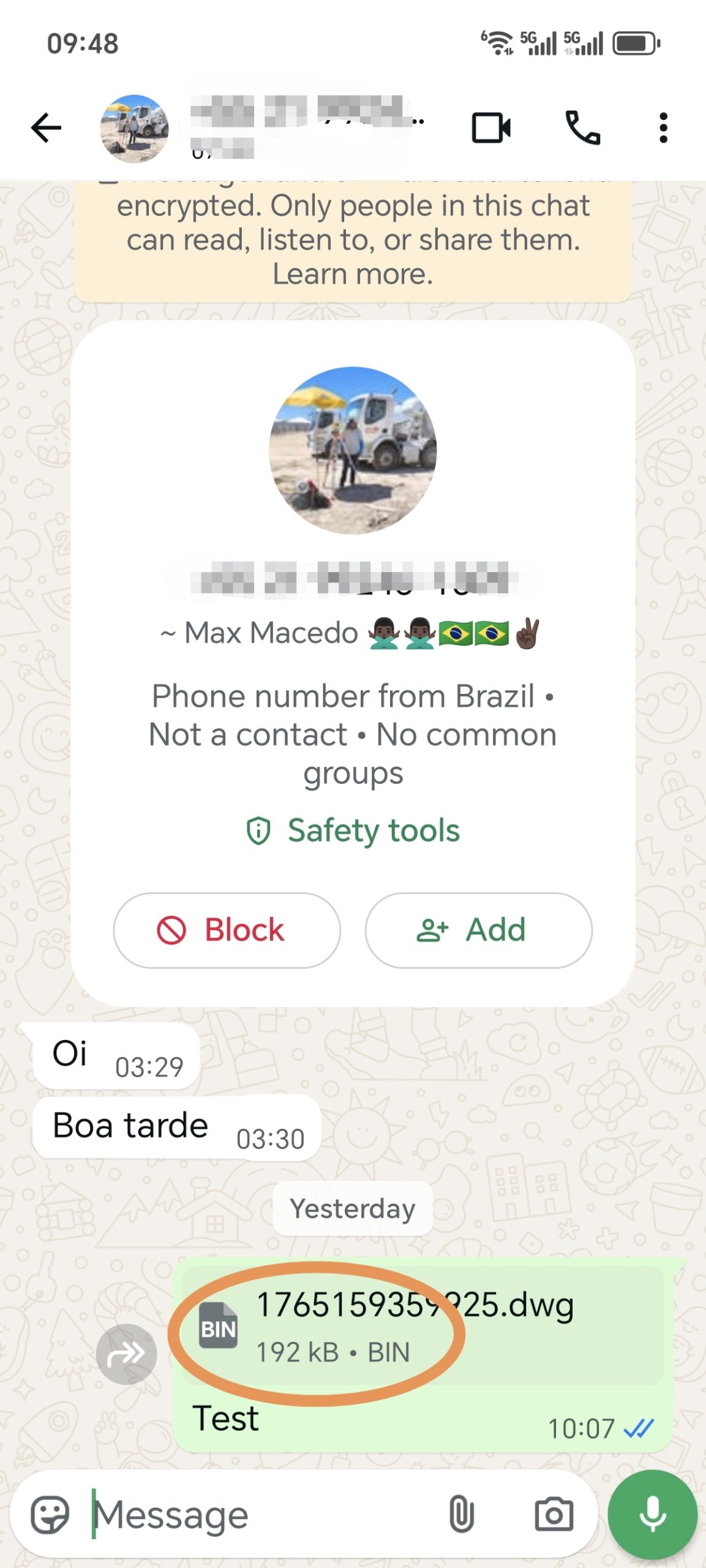
ສິ່ງຫນຶ່ງທີ່ຄວນສັງເກດ: ເມື່ອທ່ານແບ່ງປັນໄຟລ໌ DWG ກັບ WhatsApp, ມັນອາດຈະສະແດງເປັນ "xxx.dwg.bin". ບໍ່ຕ້ອງເປັນຫ່ວງ—“.bin” ຖືກເພີ່ມໂດຍ WhatsApp. ທ່ານຍັງສາມາດເປີດມັນດ້ວຍ DWG FastView ຫຼືເຄື່ອງມື CAD ອື່ນໆ.
ກະລຸນາອັບເດດ DWG FastView ຂອງທ່ານໃຫ້ເປັນເວີຊັນໃໝ່ລ່າສຸດ. ຖ້າມັນຍັງໃຊ້ບໍ່ໄດ້, ໃຫ້ບັນທຶກວິດີໂອໜ້າຈໍຂອງບັນຫາ ແລະ ສົ່ງມາໃຫ້ພວກເຮົາ. ພວກເຮົາຈະແກ້ໄຂມັນຢ່າງວ່ອງໄວ.

 ເຖິງແມ່ນວ່າ DWG FastView ສະຫນອງການທົດລອງຟຣີ, ແຕ່ຖ້າຫາກວ່າທ່ານຕ້ອງການທີ່ຈະປົດລັອກຄຸນນະສົມບັດທັງຫມົດ & ລົບການໂຄສະນາທັງຫມົດ, ກະລຸນາຄລິກໃສ່ປຸ່ມຂ້າງລຸ່ມນີ້ເພື່ອຍົກລະດັບບັນຊີ DWG FastView ຂອງທ່ານໃນໂທລະສັບມືຖື. ຖ້າທ່ານຕ້ອງການຍົກລະດັບໃນ PC, ຄລິກ ທີ່ນີ້. ບໍ່ວ່າທ່ານຈະອັບເກຣດບັນຊີຂອງທ່ານຢູ່ບ່ອນໃດໃນແອັບຯມືຖື ຫຼືໃນເວັບ, ບັນຊີ VIP ແມ່ນຄືກັນ ແລະສາມາດໃຊ້ໄດ້ທົ່ວອຸປະກອນ, ມືຖື, Windows ແລະເວັບບຣາວເຊີ.

← ບົດຄວາມກ່ອນໜ້າ ໂປຣແກຣມເບິ່ງໄຟລ໌ 3DM ຟຣີ: ໃຊ້ DWG FastView ເພື່ອເບິ່ງໄຟລ໌ 3DM ບົດຄວາມຖັດໄປ → ເປັນຫຍັງ DWG FastView ມີຂອບເຂດຈໍາກັດສໍາລັບການເບິ່ງ 3D ຟຣີ?
ບົດຄວາມທີ່ກ່ຽວຂ້ອງ
ເປັນຫຍັງທ່ານບໍ່ສາມາດແບ່ງປັນໄຟລ໌ DWG ກັບ Whatsapp? Jul 23, 2025 ຂ້ອຍສາມາດແບ່ງປັນຮູບແຕ້ມທີ່ມີ ຄຳ ບັນຍາຍໄດ້ແນວໃດ? Dec 14, 2020 ແຈ້ງການດ່ວນ: ບັກໃນ DWG FastView ສໍາລັບ PC v9.5.0 (ຂັດໃນການເປີດ / ເປີດ). Nov 6, 2025 ອັບເດດສຳຄັນຕໍ່ກັບມຸມມອງ 3D: ເປີດໄວຂຶ້ນ ແລະຮອງຮັບ RVT 2025 Apr 22, 2025 ເປັນຫຍັງຄຳອະທິບາຍປະກອບໃນຮູບແຕ້ມຂອງເຈົ້າບໍ່ສາມາດເຫັນໄດ້? Jul 11, 2024 DWG FastView ສໍາລັບ Windows Version 7.7 ອັບເດດ: ຮອງຮັບການໂຕ້ຕອບຫຼາຍພາສາ Mar 18, 2024
💬
Comments & Discussion
K
Karan Kumar Gautam
Sir mera drowning nahi khul Raha hai koi issue dikha raha hai
D
Dilip Shinde
I am happy for your servic
M
Md. Dulal Hossain
Documents not show , Edit issue rectify
M
Md. Dulal Hossain
Whatsapp File not show
✍️ Leave a Reply
Your email address will not be published. Required fields are marked *