
မြန်မာဘာသာ판 | မူရင်း- အင်္ဂလိပ်
အင်္ဂလိပ်ဘာသာသို့ ပြောင်းရန် → အပ်ဒိတ်- DWG FastView သည် WhatsApp နှင့်အလုပ်လုပ်သည် (မျှဝေပြီးဖွင့်ပါ)
ကျွန်တော် အရင်ဆောင်းပါးမှာ အမှားလုပ်မိခဲ့တယ်- ကျွန်တော်ပြောခဲ့တယ် DWG FastView သည် WhatsApp သို့ ဖိုင်များ မျှဝေ၍မရပါ။. ။ အဲဒါ မမှန်ဘူး။.
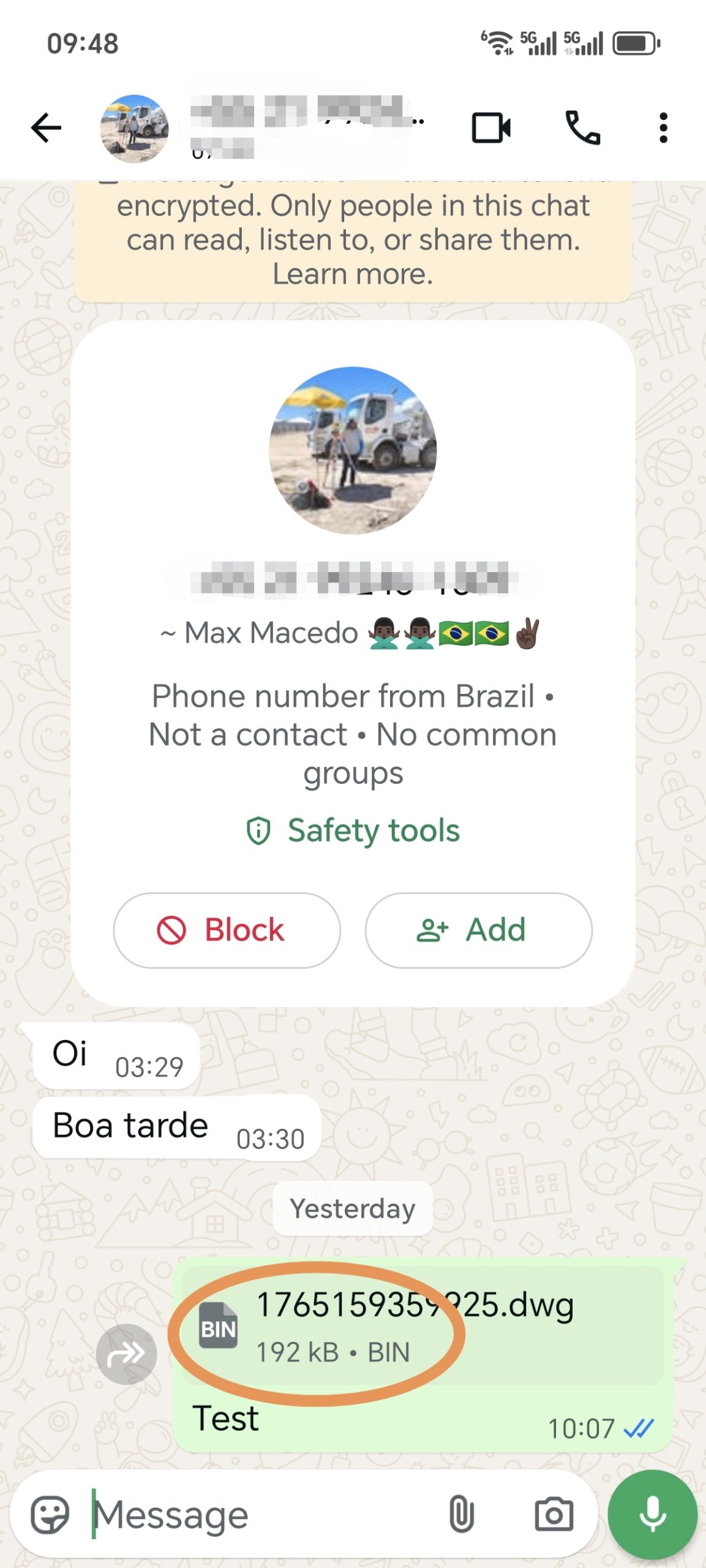
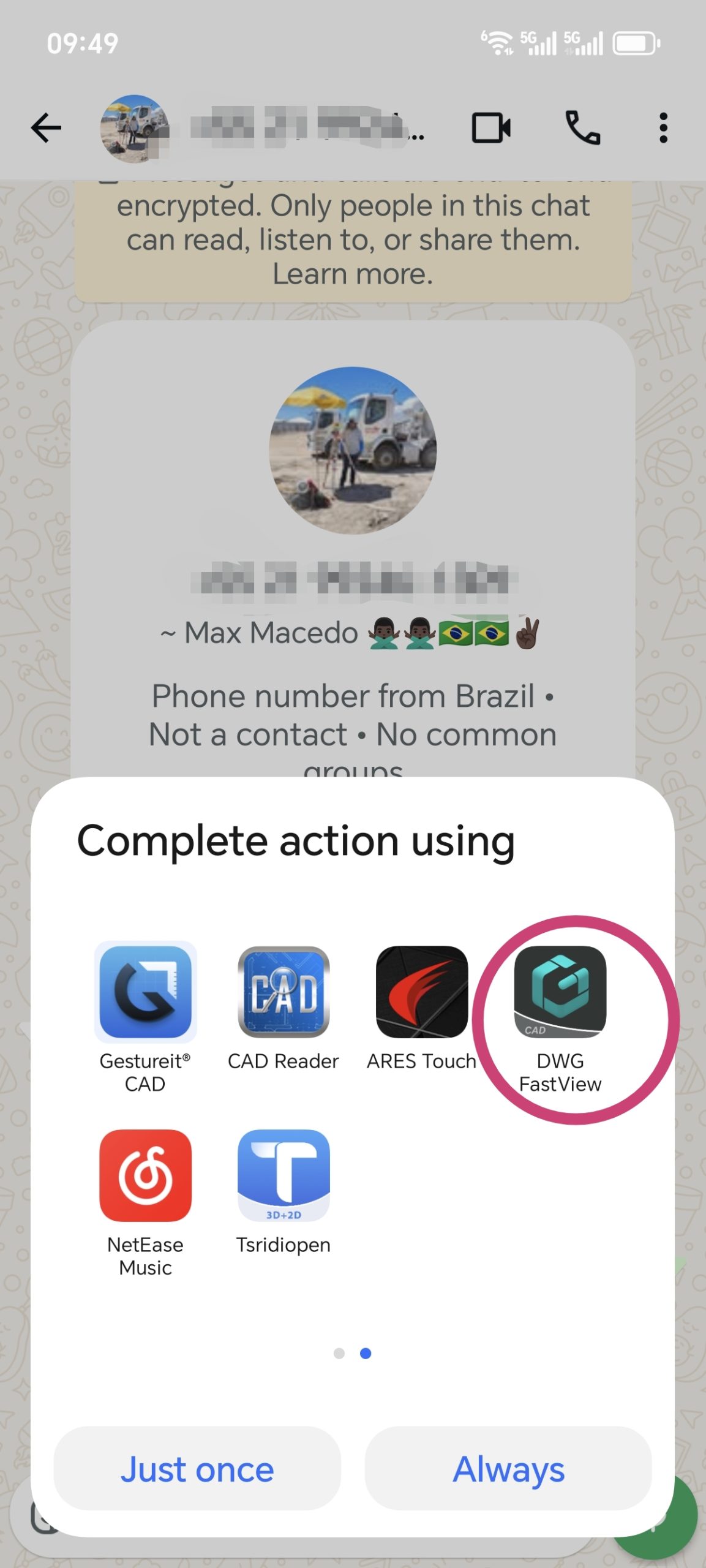
The latest version of DWG FastView fully supports sharing to နင်. သင်ပို့နိုင်သည် files smoothly, and they’ll be opened without issues. Also, if someone sends you a CAD file via နင် (from any app), DWG FastView can open it. Files shared from DWG FastView to နင် work in other CAD apps too.
သတိပြုရမည့်အချက်တစ်ခု- နင် သို့ DWG ဖိုင်တစ်ခုကို မျှဝေသောအခါ၊ ၎င်းသည် “xxx.dwg.bin” အဖြစ် ပေါ်လာနိုင်သည်။ စိတ်မပူပါနှင့်—“.bin” ကို နင် မှ ထည့်သွင်းထားခြင်းသာဖြစ်သည်။ ၎င်းကို DWG FastView သို့မဟုတ် အခြား CAD ကိရိယာများဖြင့် ဖွင့်နိုင်ဆဲဖြစ်သည်။.
သင့်ရဲ့ DWG FastView ကို နောက်ဆုံးထွက်ဗားရှင်းကို အပ်ဒိတ်လုပ်ပါ။ အခုထိ အလုပ်မလုပ်သေးဘူးဆိုရင် ပြဿနာရဲ့ မျက်နှာပြင်ဗီဒီယိုကို မှတ်တမ်းတင်ပြီး ကျွန်တော်တို့ဆီ ပို့ပေးပါ။ ကျွန်တော်တို့ မြန်မြန်ပြင်ပေးပါမယ်။.

 DWG FastView သည် အခမဲ့အစမ်းသုံးခွင့်ပေးသော်လည်း၊ သင်သည် စွမ်းဆောင်ချက်အားလုံးကို လော့ခ်ဖွင့်ရန်နှင့် ကြော်ငြာများအားလုံးကို ဖယ်ရှားလိုပါက၊ မိုဘိုင်းဖုန်းရှိ သင်၏ DWG FastView အကောင့်ကို အဆင့်မြှင့်ရန် အောက်ပါခလုတ်ကို နှိပ်ပါ။ PC တွင် အဆင့်မြှင့်လိုပါက နှိပ်ပါ။ ဒီမှာ. သင့်အကောင့်ကို မိုဘိုင်းအက်ပ်တွင် သို့မဟုတ် ဝဘ်ပေါ်တွင် အဆင့်မြှင့်သည့်နေရာတိုင်း၊ VIP အကောင့်သည် တူညီပြီး စက်ပစ္စည်းများ၊ မိုဘိုင်းလ်၊ Windows နှင့် ဝဘ်ဘရောက်ဆာများတွင် အသုံးပြုနိုင်ပါသည်။

← ယခင်ဆောင်းပါး အခမဲ့ 3DM Viewer: 3DM ဖိုင်များကိုကြည့်ရှုရန် DWG FastView ကိုအသုံးပြုပါ နောက်ဆောင်းပါး → အဘယ်ကြောင့် DWG FastView သည် 3D ကြည့်ရှုမှုအတွက် အခမဲ့ကန့်သတ်ချက်ရှိသနည်း။
ဆက်စပ်ဆောင်းပါးများ
DWG ဖိုင်များကို Whatsapp သို့ အဘယ်ကြောင့် မမျှဝေနိုင်သနည်း။ Jul 23, 2025 မှတ်စုများကိုပုံဆွဲ။ မည်သို့ဝေမျှနိုင်သနည်း။ Dec 14, 2020 အရေးပေါ်သတိပေးချက်- PC v9.5.0 အတွက် DWG FastView တွင် ချို့ယွင်းချက် (Launch/Open တွင် ပျက်စီး) Nov 6, 2025 3D မြင်ကွင်းအတွက် အဓိကအပ်ဒိတ်- ပိုမြန်အောင်ဖွင့်ပြီး RVT 2025 ကို ပံ့ပိုးထားသည်။ Apr 22, 2025 သင့်ပုံဆွဲပေါ်ရှိ မှတ်ချက်များကို အဘယ်ကြောင့် မမြင်ရသနည်း။ Jul 11, 2024 Windows ဗားရှင်း 7.7 အပ်ဒိတ်အတွက် DWG FastView- ဘာသာစကားစုံ အင်တာဖေ့စ်ကို ပံ့ပိုးထားသည်။ Mar 18, 2024
💬
Comments & Discussion
K
Karan Kumar Gautam
Sir mera drowning nahi khul Raha hai koi issue dikha raha hai
D
Dilip Shinde
I am happy for your servic
M
Md. Dulal Hossain
Documents not show , Edit issue rectify
M
Md. Dulal Hossain
Whatsapp File not show
✍️ Leave a Reply
Your email address will not be published. Required fields are marked *