
2026 年 Adobe Acrobat 的 8 個最佳替代品
使用今年最可靠、功能最豐富的專業級 PDF格式 編輯器,強化您的數位工作流程。.
Think you need a pricey 訂閱 to 編輯 a PDF格式 in 2026? Think again. While big software com泛ies keep hiking their monthly fees 和 bloating their interfaces, a new wave of alternatives has quietly caught up—提供ing everything from advanced OCR to secure electronic signatures without the "Adobe Tax."
We’ve cut through the noise to find the tools that actually deliver. No hidden watermarks, no "premium-only" 出口 buttons和 no frustration. Whether you need an off線 powerhouse for privacy or a lightning-fast 編輯or for massive engineering documents, 這裡 are the 8 款最佳 Adobe Acrobat 替代品 讓您今年的工作流程更順暢。.
使用專用 PDF格式 軟體的好處
If you’re only using a web browser to open PDF格式s, you’re hitting a wall every time you need to actually do 檔案。升級為專用工具後,您的工作流程會有三種直接的改變:- 全面內容控制: Stop just "viewing" files. High-quality software lets you fix typos, swap out 圖片s和 rearrange 頁s as easily as 編輯ing a slide deck.
- File Shrinking & 轉換: 快速將 50MB 的掃描檔變成 2MB 的電子郵件友好檔案,或將 PDF格式 翻轉回可編輯的 Word 文件,而不會損壞格式。.
- Sign & Secure in Seconds: Skip the "print-sign-scan" loop. Drop in a verified digital signature 和 redact sensitive info permanently so it can't be recovered.
福昕 PDF格式 Editor – The Precision Powerhouse for 企業

If Acrobat is the "industry giant," 福昕 is the "refined specialist." In 2026, 福昕 remains the most formidable 1:1 competitor for power users who cannot afford to lose a single feature—喜歡 Bates numbering, advanced redaction, or industry-st和ard compliance (PDF格式/A, X, E).
深度挖掘: 福昕’s strongest asset is its rendering engine, which consistently loads 500+ 頁 documents faster than Acrobat. Its interface mimics Microsoft Office so 關閉ly that the "learning curve" is virtually non-existent for corporate staff.
關鍵能力:
- 智慧 Redaction: 使用 AI 自動識別數千頁的 PII(個人識別資訊)並將其塗黑。.
- 領先業界的 OCR: 非常擅長處理掃描文件中複雜的表格結構,而其他工具則無法處理。.
客觀判斷: It is 40-50% cheaper than Adobe annually, but the "Pro" features still require a 訂閱. It’s for the user who needs Acrobat's brain but wants a faster body.
PDF格式 Agile – The 高效能 Engine for Heavy Workloads
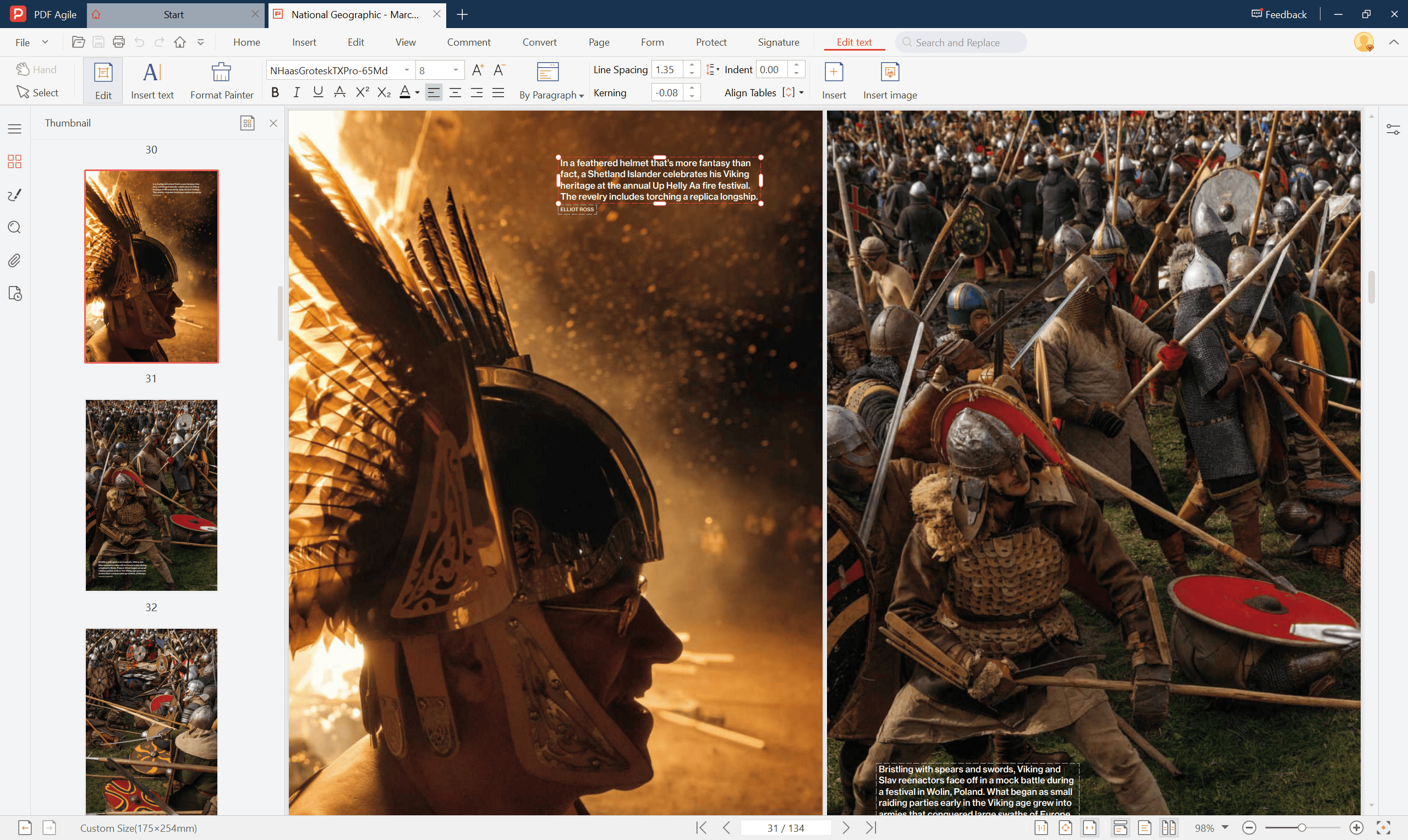
PDF格式 Agile has secured its spot as a top contender in 2026 by solving the "Performance Bottleneck." While many 編輯ors crash or stutter when h和ling large files, PDF格式 Agile is engineered for raw speed 和 stability.
深度挖掘: PDF格式 Agile’s competitive edge lies in its industry-leading source code 和 exceptional 建築師ural stability. It is specifically optimized for high-按ure workflows, capable of opening massive, 多 GB (5GB+) PDF格式 檔案 以毫秒為單位。其效率還延伸至批次處理引擎,讓使用者可以同時對數十個文件執行複雜的作業。.
關鍵能力:
- 高容量穩定性: 同價位中唯一能編輯和渲染超過 5GB 檔案而不會凍結的編輯器。.
- 真實文字回流: 將文字視為流體內容,讓您能以 Microsoft Word 相同的邏輯編輯段落。.
- 進階轉換: 將厚重的 PDF格式 轉換為 Excel、PPT 或 Word 時,保留複雜的網格結構。.
獨家優惠: 準備好升級您的工作流程了嗎?使用代碼 dwgfv20%off 在結帳時獲得 20% OFF 當您訂閱 PDF格式 Agile 年度或半年度計劃.
硝化甘油 PDF格式 – The King of Bulk Workflow
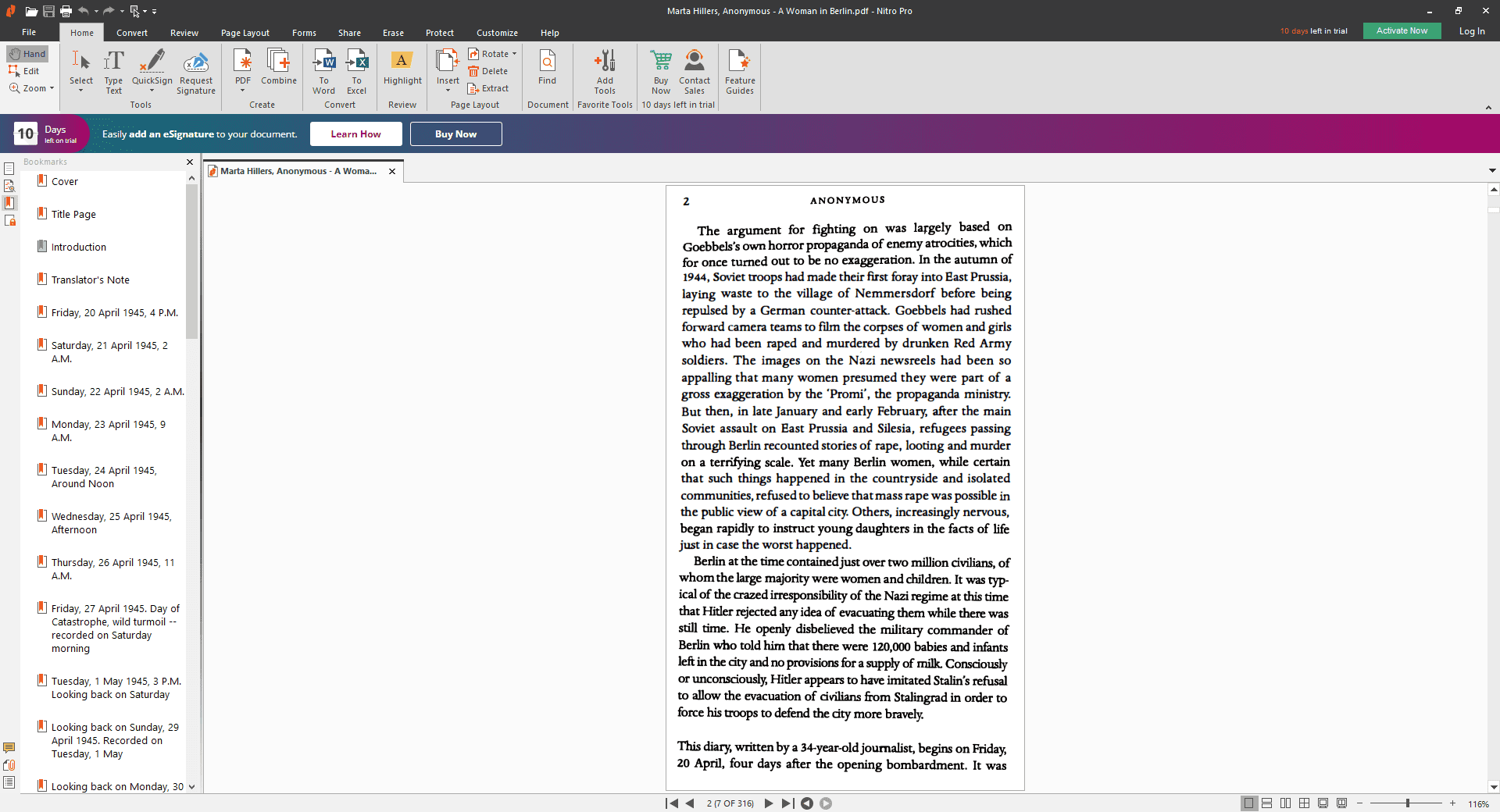
硝化甘油 is built for the "high-velocity" office. It is arguably the best tool for teams that need to manage massive batches of contracts or invoices simultaneously.
深度挖掘: 硝化甘油’s Bulk Sign 和 Bulk Convert features are significantly more intuitive than Acrobat’s "Action Wizard." Its pricing model is its biggest weapon—提供ing a perpetual (one-time) license that many enterprises prefer over Adobe’s 訂閱 model.
關鍵能力:
- 硝化甘油 標誌整合: 可與 DocuSign 媲美的內建法律等級電子簽名平台。.
- 全系統相容性: 高度穩定的 Windows 整合,在 CAD 到 PDF格式 的轉換過程中很少會當機。.
客觀判斷: 硝化甘油 is for the pragmatic professional who values stability 和 "ownership" over flashy design tweaks.
蘇打水 PDF格式 – The 雲-Desktop Hybrid
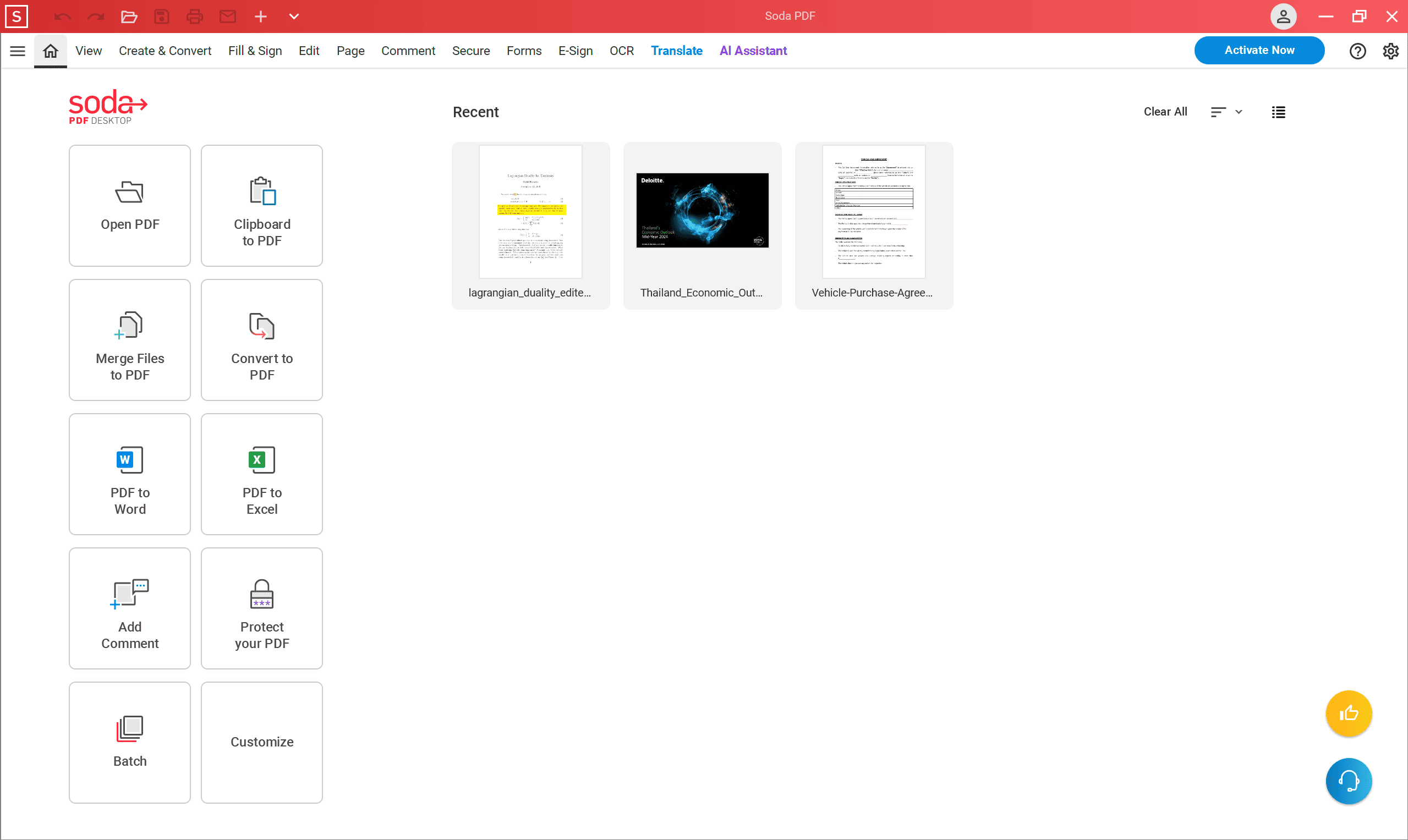
蘇打水 PDF格式 提供功能完整的桌面應用程式和鏡像Web版本,確保您在切換裝置時工作流程不會中斷。.
深度挖掘: Un喜歡 Acrobat, w這裡 the 網絡版本 feels 喜歡 a "lite" app, 蘇打水 PDF格式 On線 提供s nearly 100% feature parity with its desktop counterpart. It features a unique "3D Page Flip" reader technology for a more natural reading experience.
關鍵能力:
- 跨裝置奇偶校驗: 在桌上型電腦上開始編輯,然後在Web上完成,不會遺失格式。.
- E-Sign Manager: 用於即時追蹤簽名請求和批准的強大工具。.
Sejda PDF格式 – The Surgical Tool for Quick On線 Fixes
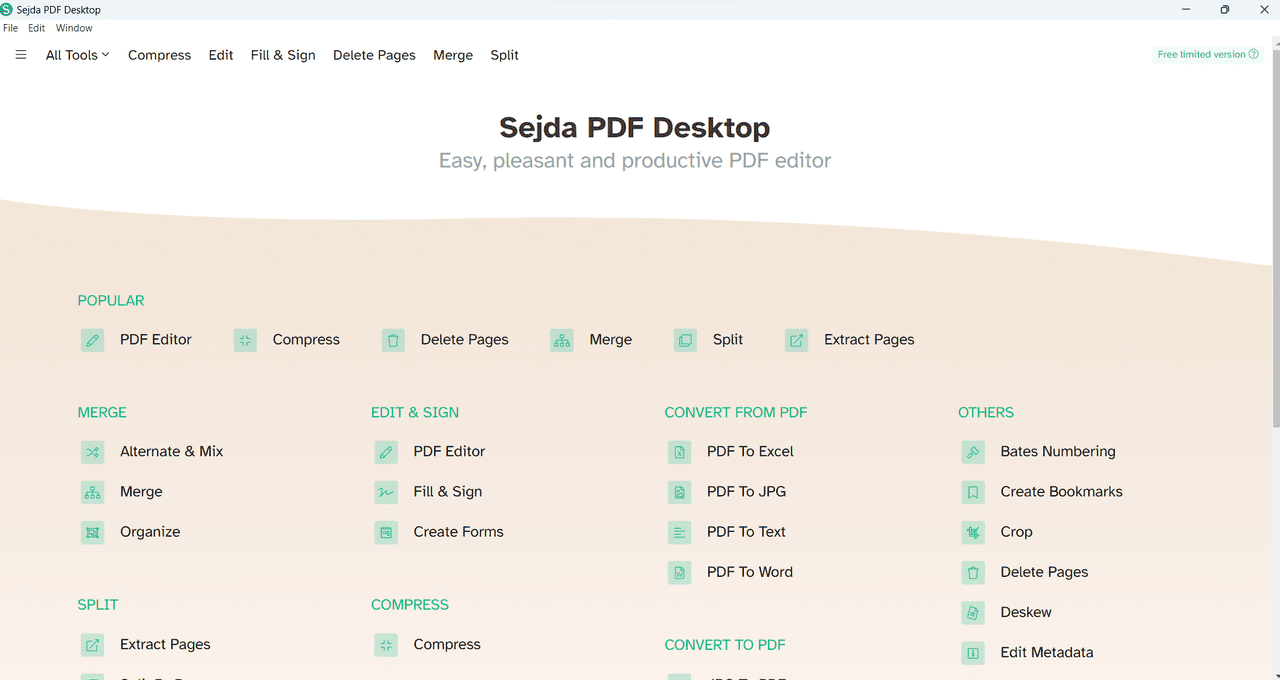
Sejda operates as a "surgical" web-based 工具。. It is specifically designed for users who need to perform direct 文本 manipulation without installing a full office suite.
深度挖掘: Sejda’s Direct 文本 Engine attempts to identify 和 replace the original font 和 spacing of the PDF格式 rather than just overlaying 文本 boxes. It features excellent font-matching for specialized legal 和 medical 類型faces.
關鍵能力:
- 瀏覽器型電源: 無需安裝即可執行 Acrobat 的 90% 文字編輯工作。.
- 自動文件過期: 檔案會在兩小時後自動刪除,以加強安全性。.
客觀判斷: 完善 for one-off 編輯s, but the "3 tasks per day" limit makes it unsuitable for heavy-duty work.
韓元der分享 PDF格式element – The Hybrid for Design 和 Data
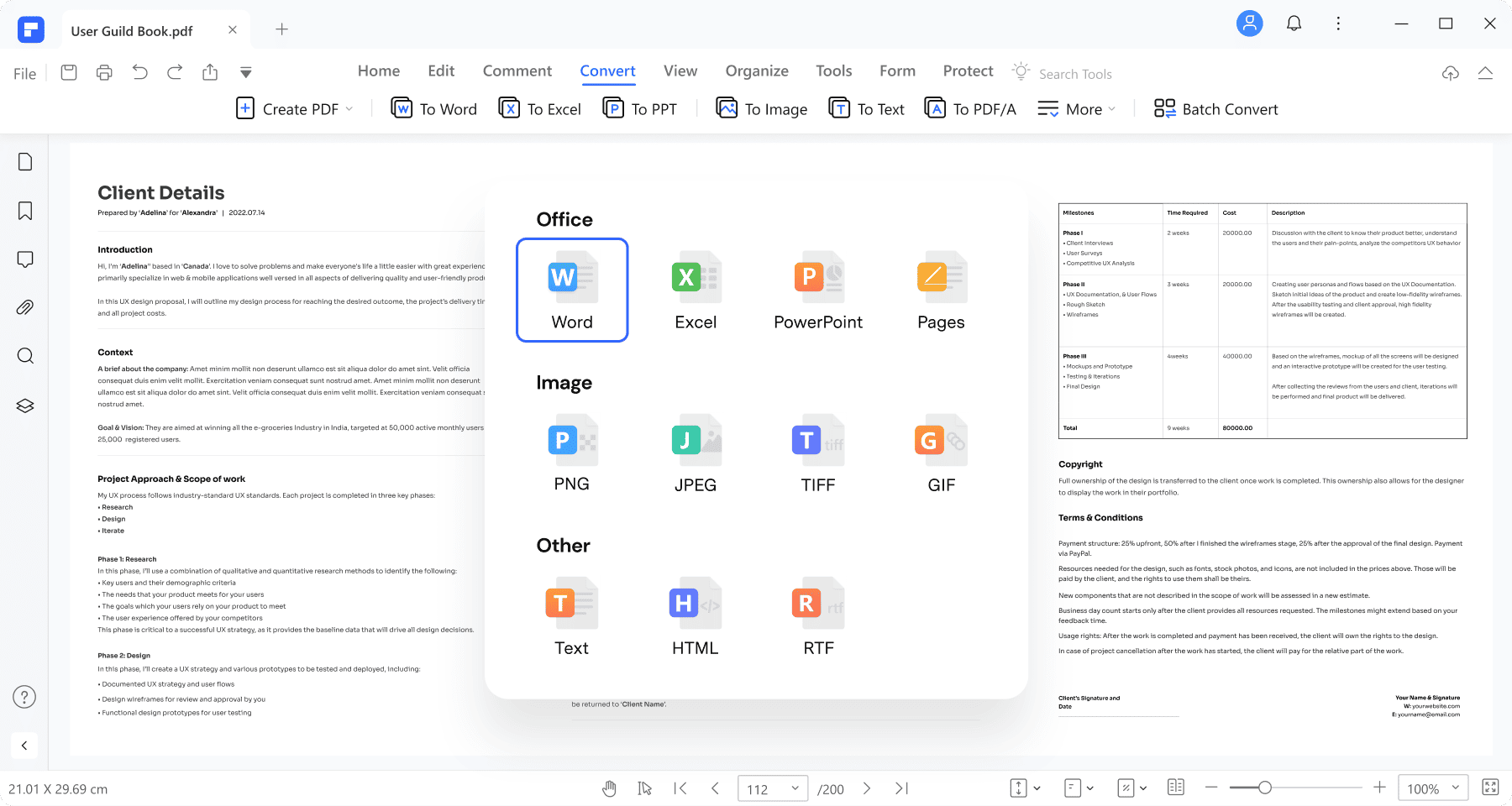
PDF格式element 在技術編輯器和設計工具之間架起了一座橋樑。在 2026 年,它將重點放在財務部門的自動資料擷取。.
深度挖掘: The UI is remarkably "human," organizing complex features 喜歡 form field recognition into simplified, visual workflows. It h和les High-DPI graphics better than most alternatives.
關鍵能力:
- 表格自動化: 單擊即可將平面 PDF格式 表單轉換為可填寫的文件。.
- 批次處理: 在轉換不同格式的數百個檔案時,異常可靠。.
PDF格式-XChange 編輯器 – The Engineer’s Choice

適用於藍圖、建築設計或複雜的法律摘要、, PDF格式-XChange 編輯器 是經典的崇拜者。它將精確度和技術元資料放在首位,而非美感。.
深度挖掘: 此工具可針對 PDF格式 Shell 擴充套件提供快速到網格的精確度和細粒度控制,讓您直接從 Windows 檔案總管搜尋元資料。.
關鍵能力:
- 進階測量: Highly accurate tools for measuring distance 和 perimeter within technical 繪畫s.
- 爪哇Script 支援: Fully 支持s Acrobat’s 爪哇Script for complex interactive forms.
UPDF格式 – The Multi-Platform Consumer 最喜歡的
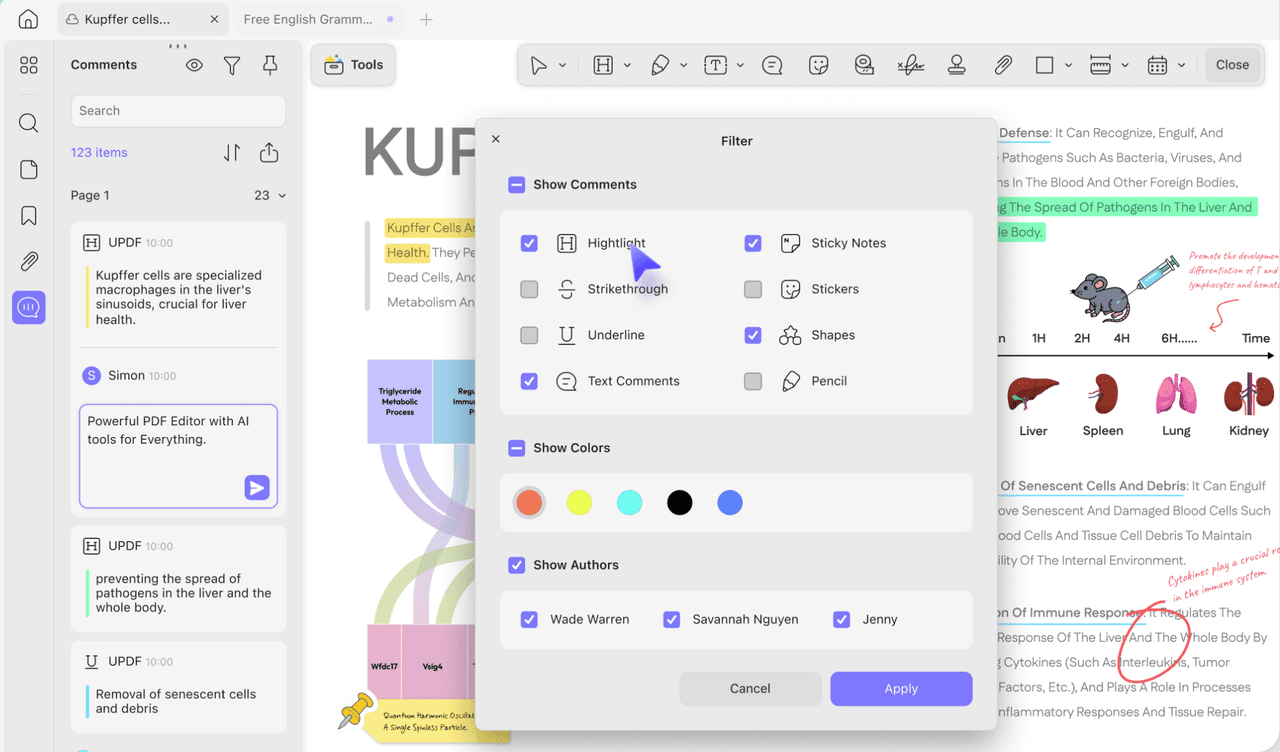
UPDF格式 以個人消費者為目標,只需一個經濟實惠的授權,即可在 Mac、Windows、的iOS 和 安卓系統 上使用。.
深度挖掘: Built for readability 和 註解, it features a modern UI 和 AI-driven "Reading Modes" that automatically highlight key concepts as you scroll.
關鍵能力:
- 無縫同步: 在 PC 上開始編輯,然後透過雲端同步在 iPad 上完成。.
- 生動的注解: 用於協作回饋的大量圖章和貼紙資料庫。.
比較圖表:8 大 Adobe Acrobat 替代品
| 軟體 | 最適合 | 定價模式 | 關鍵優勢 |
|---|---|---|---|
| 福昕 PDF格式 | 企業 | 訂閱 | Advanced Security & OCR |
| PDF格式 Agile | 高效能 | 子/永久 | 處理 5GB 以上的檔案 |
| 硝化甘油 PDF格式 | 大量工作流程 | 永續 | 批次處理 |
| 蘇打水 PDF格式 | 混合型工人 | 訂閱 | Web/Desktop Parity |
| Sejda PDF格式 | 快速Web編輯 | 免費 | 直接文字編輯 |
| PDF格式element | 行銷/財務 | 子/永久 | 表格自動化 |
| PDF格式-XChange | 工程師/IT | 永續 | 技術元資料 |
| UPDF格式 | 學生/創意人 | 單一授權 | AI-Reading & UI |
有關 PDF格式 編輯軟體工具的常見問題
如何選擇最適合我的 PDF格式 編輯器?
First, decide if you only need to 注解 or if you require full 文本-編輯ing. Consider your environment—desktop tools 提供 better privacy 和 h和le larger files, while web tools provide instant access. Most pro suites 喜歡 PDF格式 Agile 提供免費試用,可在購買前測試效能。.PDF格式 軟體有哪些不同類型?
PDF格式 軟體一般可分為三種類型: 讀者 供觀看、, 編輯 用於修改內容,以及 轉換器 用於變更格式。2026 年,高效能編輯器也成為處理大量複雜文件而不會當機的重要類別。.免費的 PDF格式 軟體工具和付費的一樣好嗎?
許多免費工具都非常適合合併檔案等快速、簡單的工作。不過,這些工具通常有嚴格的檔案大小限制或每日工作上限。對於涉及重檔案 (5GB以上)、複雜版面重排或大量處理的專業工作,必須使用付費計劃或永久授權。.相關文章推薦
讀者留言與技術討論
✍️ 發表您的留言
您的電子郵件地址絕不會被公開顯示。標有 * 的欄位為必填項。